What LibrePortal is
LibrePortal turns a machine you own into a home for the apps you rely on, and does the fiddly server work so you don't have to. Here's what it does, what it doesn't, and whether it's for you.
Most of us keep our files, photos, passwords and calendars on other people's computers. That's convenient right up until the price goes up, the service closes, or you start wondering who else can read it. Running those apps yourself fixes that, but it has always meant learning Docker, reverse proxies, certificates, firewalls and backups first.
LibrePortal does that part for you. You install it once on a machine you own, and from then on you pick apps from a menu in your browser. It sets each one up, gives it an address, keeps it backed up and updated, and decides who is allowed to reach it.
What you get#
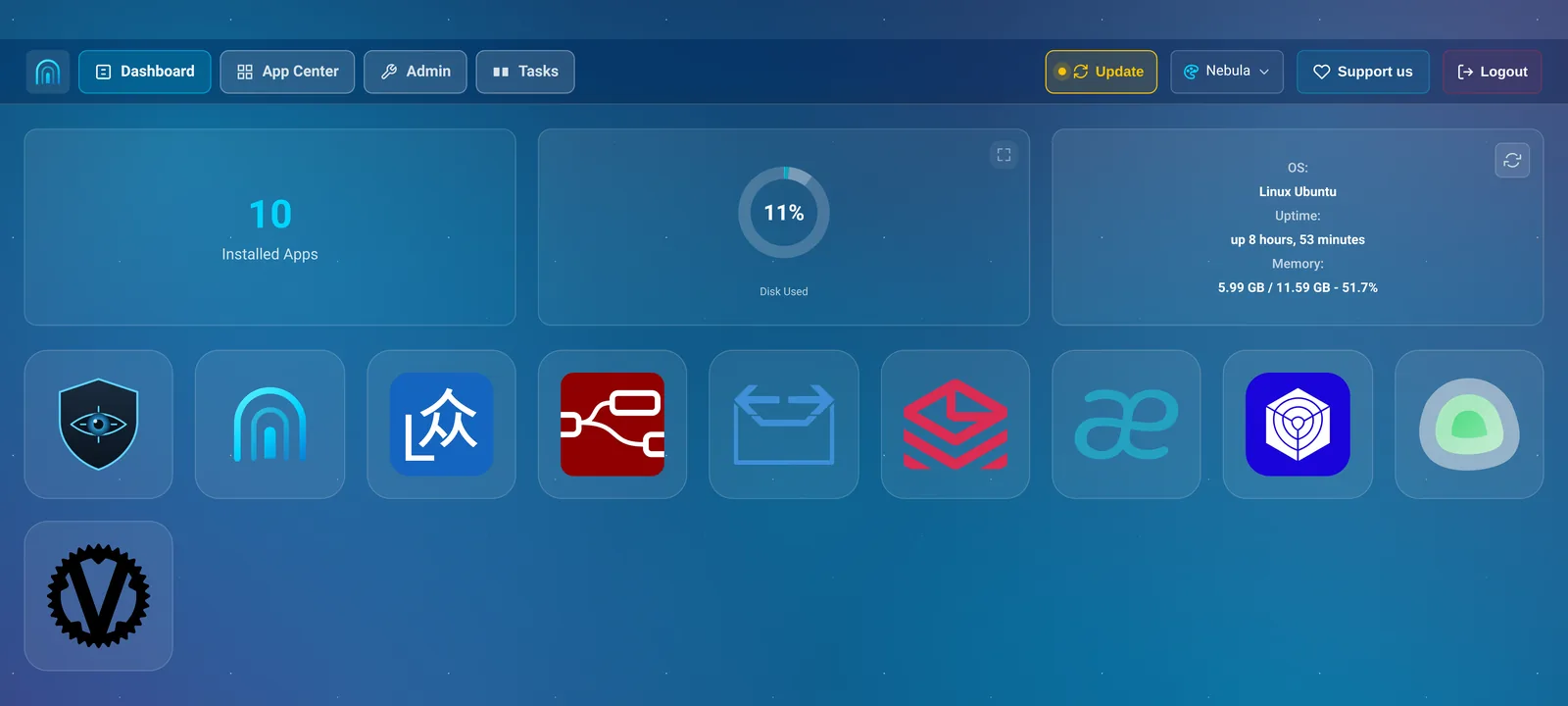
The WebUI. A web page where you install, configure, back up and update everything. You open it in any browser on your network, including your phone's. There's no need to log in to the server for day-to-day use. A tour of the WebUI shows you round.
An App Center with 81 apps: file sync and calendars, password managers, music and film servers, chat, a mail server, monitoring, and more. Each one is set up the way it should be, with an admin account made for you and its password handed to you at the end. No app ever runs with a default password, or waits for the first visitor to claim it. See every app.
Backups that are encrypted, run every night, and can rebuild a whole server on a new machine. See Backups and restore.
Updates that take a backup first and put the app back if something goes wrong. Apps whose updates can't be undone wait for you. See Updates.
Sensible security from the start: a firewall, apps that don't run as root, a WebUI on a random port, and a simple choice for each app between "anyone" and "only my places and devices". See Who can reach what and Security.
Your own VPN for reaching everything from your phone when you're out, without opening your apps to the internet. See The LibrePortal VPN.
Compared with doing it by hand#
If you've set up a self-hosted app before, you know the routine: find a compose file, pick ports that don't clash, invent passwords, work out which folders to back up and how to stop the database cleanly first, put a reverse proxy in front, get a certificate, open the firewall, then remember to update it all. Then do it again for the next app, slightly differently.
LibrePortal does each of those steps the same way for every app, and keeps doing them. Ports are picked so they never clash. Passwords are generated and kept for you. Every app is backed up with the right method for its database. Updates are checked, snapshotted and rolled back on failure. And when two of your apps can work together, like Uptime Kuma watching everything else, LibrePortal connects them.
Underneath, it's the same tools you'd use yourself: Docker, Traefik, restic and ufw, set up the way you'd set them up. Nothing is hidden. Your apps' data is in ordinary folders, your backups are ordinary restic repositories, and everything the WebUI does also has a command you can run on the server.
What it doesn't do#
It doesn't phone home. There's no account to create, no usage data and no analytics. The only things your server fetches are the ones it needs, like LibrePortal's own updates and your apps' images, and the website lists every one of them.
It doesn't lock anything away. Every feature is free to self-host, and the code is open under the GNU AGPL. The only things that will ever cost money are optional services that aren't the software, like a hosted relay for Connect, and each of those has a free version you can run yourself. The Promise spells out what that commits the project to.
It doesn't run your apps for you somewhere else. Your apps run on your machine, and your data stays there. If the machine is off, so are your apps.
It isn't a general-purpose server panel. It won't host your own website code or manage mail for a hundred domains. It installs and looks after the apps in its App Center, and does that well.
Who it's for#
Anyone who's comfortable following a guide like this one. You'll type one command to install it, and after that it's all in the browser. You don't need to know what Docker is, and you don't need a domain name to start: everything works on your home network straight away.
If you already run your own servers, you'll find the usual tools underneath, a command line for everything, and settings for the details. The Advanced mode shows them all.
What it needs#
A machine of its own running Debian or Ubuntu, with 2 GB of memory or more (it installs on 1 GB, but that leaves little room for apps) and 20 GB of free disk. An old laptop, a small mini PC, a Raspberry Pi 5 or a cheap VPS all work. What you need helps you choose, and Install LibrePortal gets you going.