Phone notifications and calls for Matrix
Use Matrix as your household's chat on Android: one sign-in with LibrePortal, messages and calls without Google through ntfy on your own server, and voice and video calls through your server.
On this page
Matrix is chat that you run yourself. With three switches in LibrePortal it works like the messaging app on everyone's phone: one sign-in with their LibrePortal account, messages and calls that arrive with the app closed and the screen off, and calls that work at home and away. No Google service is involved.
Nextcloud Talk does much the same, and is still our first suggestion for a household. Matrix suits you better if you want Matrix's apps, or to talk to people on other Matrix servers.
What you need
- Matrix, and a domain on your server, with HTTPS. Sign-in, notifications and calls all need it. See Domains and HTTPS.
- Authelia, for signing in with LibrePortal. See Accounts and people.
- Android phones. iPhones can't get notifications through ntfy: Apple only allows its own push service.
- For calls away from home: port 7882 reaching your server, over UDP and TCP. On a server at home that means forwarding it on your router.
Turn it on in LibrePortal#
There are three switches. You can pick them while installing Matrix, or turn them on later.
- Sign in with LibrePortal. On Matrix's page, open its settings and turn on Single sign-on. Everyone then signs in to Matrix with their LibrePortal account. Their Matrix account is made the first time they sign in, with their LibrePortal username, so there's nothing to set up for each person. Who can open this decides who may sign in.
- Phone notifications (ntfy). In Matrix's Extras, turn it on. It says Installs ntfy too, and it does. If ntfy is already there, LibrePortal turns the switch on for you.
- Voice and video calls. Also in Extras. It adds a small call server beside Matrix.
- Read the finished task. It ends with your ntfy address, like
https://ntfy.example.com, which each phone needs.
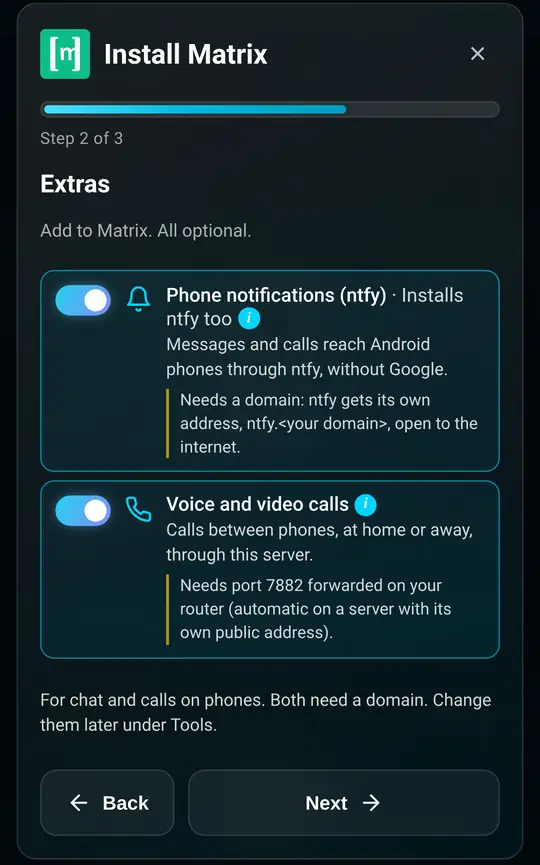
Already have Matrix? Open its Tools tab, choose Add or Remove Extras, and turn them on there.
What the switches do
Single sign-on runs Matrix's own sign-in service beside it, which signs people in with Authelia. Every Matrix app signs in through it, the new ones and the old ones. Matrix then has no passwords of its own and nobody can sign up.
Phone notifications puts ntfy on its own address, ntfy. and your domain, open to the internet, and locks it so nobody can use it without an account except for phone notifications and LibrePortal's own alerts. It also lets Matrix reach ntfy. Your server only tells ntfy that there is something new; the phone then fetches the message itself, still encrypted.
Voice and video calls adds LiveKit, a call server. In a call, each phone sends its sound and picture to your server, which passes them on. That works through any home router or mobile network, as long as port 7882 reaches the server.
Turning a switch off undoes it. Notifications off stops Matrix sending to ntfy and leaves ntfy as it is. Calls off stops the call server, and the apps then say this server can't make calls.
Set up each phone#
Do this on every Android phone that should get Matrix. It takes a few minutes.
1. Install the apps#
From F-Droid, install ntfy and one Matrix app:
- FluffyChat is simple and friendly, and is the one we tested most. It does everything on this page.
- Element X is Element's new app. Messages and notifications work the same way; we haven't tested its calls yet.
Matrix's page in LibrePortal lists them under Get the apps, with links to F-Droid.
2. Set up ntfy#
Open ntfy. If it shows a red banner about battery optimisation, press Fix now, then Allow, so Android doesn't put it to sleep.
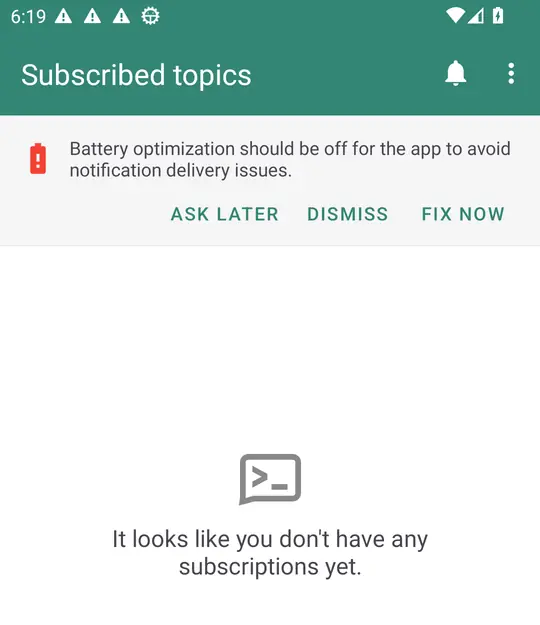
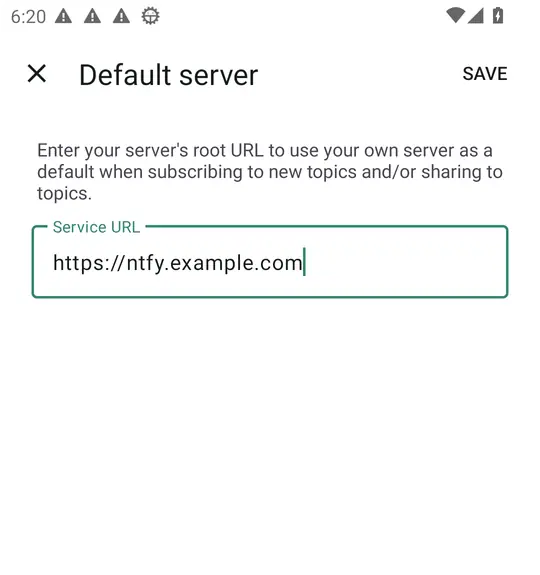
Then open the menu at the top right, Settings, Default server, type your ntfy address and press Save. Do this before you sign in to Matrix: the Matrix app asks ntfy for an address once, and ntfy hands out one on its default server.
3. Sign in#
In FluffyChat, press Sign in, type your Matrix address (matrix. and your domain), choose it and press Continue.
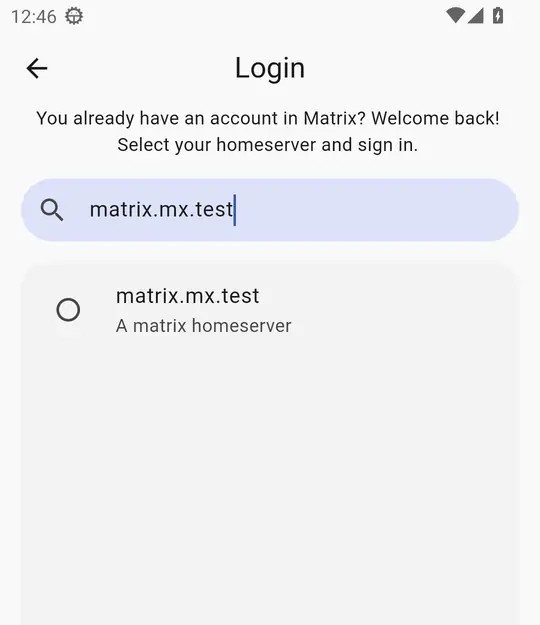
In Element X, press Sign in manually, type the same address as the account provider, and press Continue.
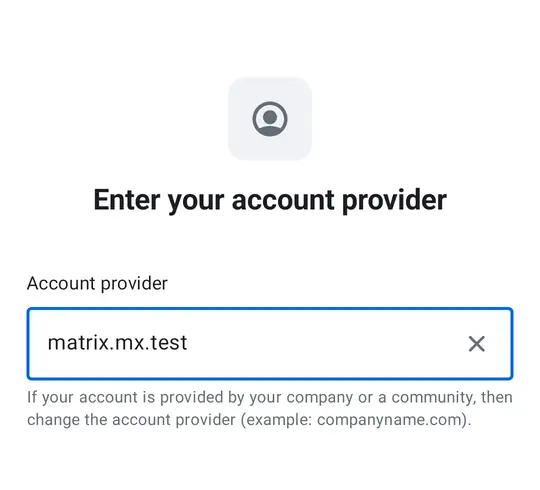
Either way your phone's browser opens LibrePortal's sign-in page. Sign in as usual, and you're back in the app. The first time, FluffyChat offers to set up a recovery key for your encrypted chats: keep it somewhere safe.
The app finds ntfy by itself. There's nothing to switch on: FluffyChat and Element X both use ntfy as soon as it is installed.
Check that it works#
Ask someone else in your household to help, on their own phone.
First, a message. Close the Matrix app on your phone (swipe it away) and turn the screen off. Have the other person send you a message. Within a few seconds your phone shows it.
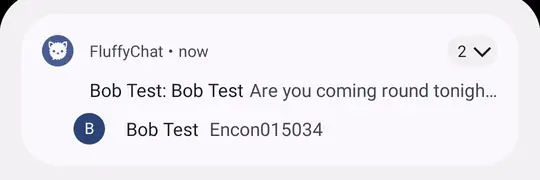
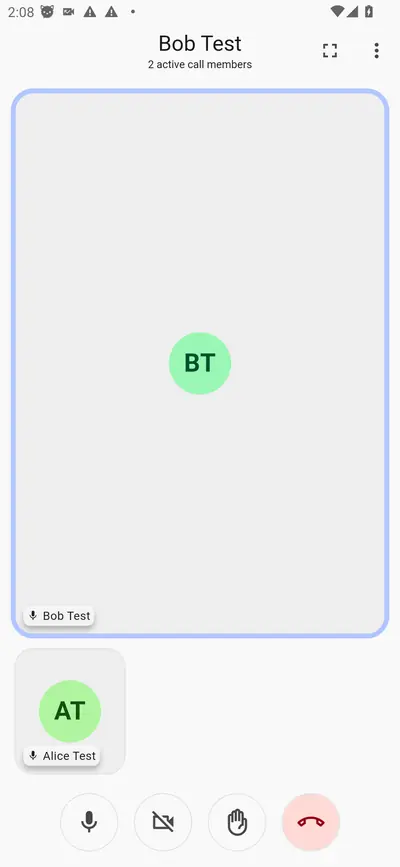
Then, a call. In your chat with them, they press the call button at the top, then Start call. If your phone is in use, a call notification drops down with Decline and Accept. If the screen was off, the phone wakes up and shows the full incoming-call screen. It rings for about 30 seconds.
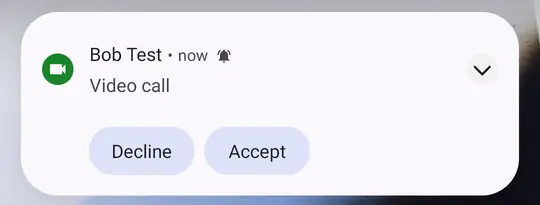
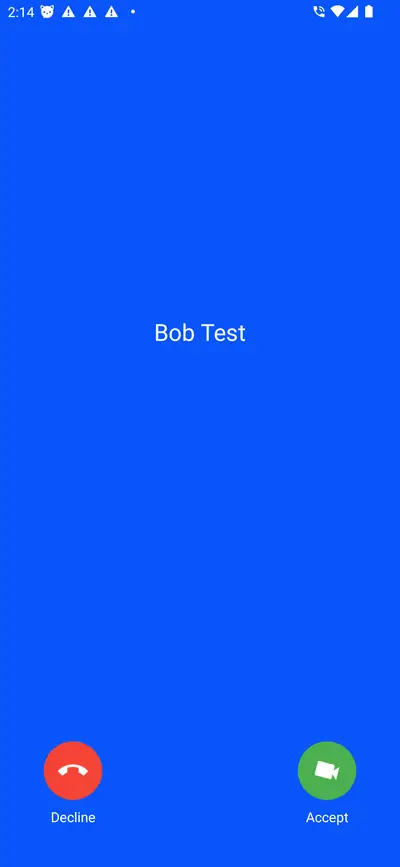
Press Accept, and you're in the call. To turn on video, press the camera button.
How well it works#
We tested all of this on two Android phones without Google services, against LibrePortal's own Matrix, Authelia and ntfy. The phones were emulators on a very busy computer, which is harder on the apps than a real phone is.
| What | Result |
|---|---|
| Signing in with LibrePortal | FluffyChat on both phones and Element X: every time. A person who isn't allowed to open Matrix is turned away at sign-in. |
| Messages, app closed, screen on or off | 20 of 22 arrived: FluffyChat 16 of 18, Element X 4 of 4. Most within 1 to 3 seconds; encrypted ones sent from the other phone within 6 to 9. |
| Calls, app closed, screen off | 5 of 5 rang, with the full incoming-call screen. |
| Calls, app closed, phone in use | 6 of 9 rang. |
| Calls answered | Connected with sound both ways every time the call was answered while ringing. |
| Switching notifications or calls off and on | Did what it says, both ways. |
What went wrong, and why. Every time a message or a call didn't arrive, it had reached the phone: ntfy got it within a second or two and woke FluffyChat. But FluffyChat took 8 to 13 seconds to start on the overloaded test machine, and dropped the notification while it was still starting. On a phone that isn't short of memory it starts in one or two seconds, and in our tests it then never missed. This is inside the FluffyChat app, so it isn't something your server can fix; it is more likely on an old phone that is low on memory. If a call matters, have the caller send a message too.
Known limits
- iPhones can't get notifications through ntfy.
- Element X calls weren't tested yet.
- Very strict networks, which block UDP and every port but the web, can't make calls.
- While joining a call, the apps ask a public server run by Google (STUN) what their own internet address is. No part of the call goes there, but your phone's address does.
- A call that ended badly can leave "1 active call member" showing in FluffyChat for a while. It goes by itself.
If notifications don't arrive#
ntfy's default server is wrong. In ntfy, Settings, Default server: it must be your ntfy address, starting with https://. If you changed it after signing in, sign out of the Matrix app and in again.
Battery optimisation. Some phones put ntfy to sleep anyway. Set it to Don't optimize (or Unrestricted) in Android's battery settings, and allow it in the phone maker's own battery saver too.
The phone can't reach ntfy. Open your ntfy address in the phone's browser, on mobile data with Wi-Fi off. You should see ntfy's page. If you don't, check that ntfy. and your domain point at your server. See Domains and HTTPS.
Matrix can't reach ntfy. When the switch is turned on, LibrePortal checks that Matrix can reach ntfy and says so in the task if it can't. Turn it on again from Matrix's Tools tab, Add or Remove Extras, and read the task's last lines.
If calls don't connect#
They ring but never connect away from home. Port 7882 isn't reaching your server. Forward it on your router, UDP and TCP, to the server. On a server with its own public address, check its firewall.
"Unable to authenticate to any of the visible LiveKit instances". The calls switch is off, or the call server isn't running. Turn it on again from Matrix's Tools tab, Add or Remove Extras.